1. Home
  2. Features
Features

Everything your team needs to sell and support on WhatsApp

One workspace for conversations, customers, broadcasts and automation — with the safety habits that keep a business number in good standing.
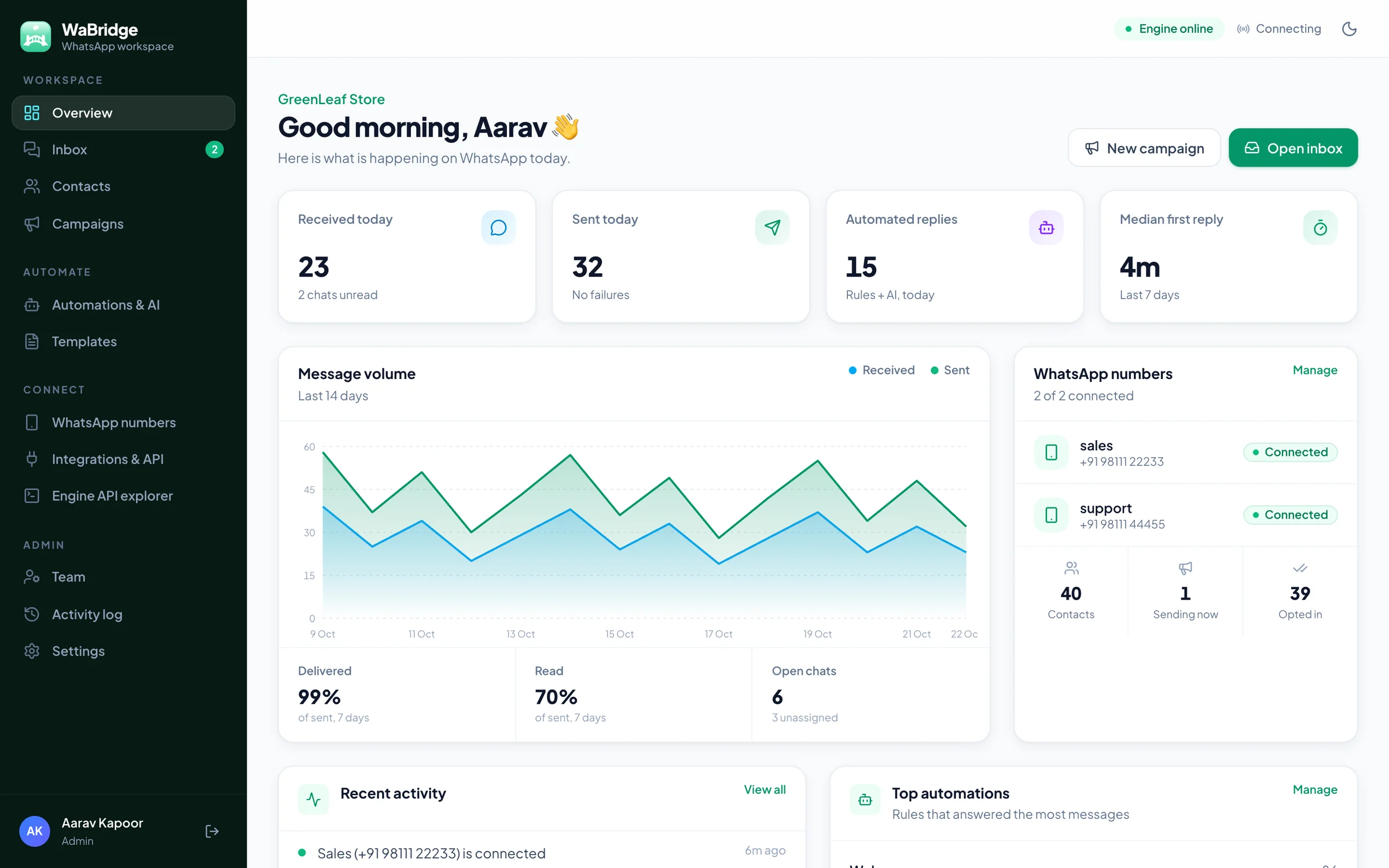
WaBridge overview dashboard with messages received and sent, automated replies, median first-reply time and a 14-day message chart
01 · Team inbox

Answer faster, together

Every message from every linked number appears in a single live inbox — no refreshing, no shared phone.
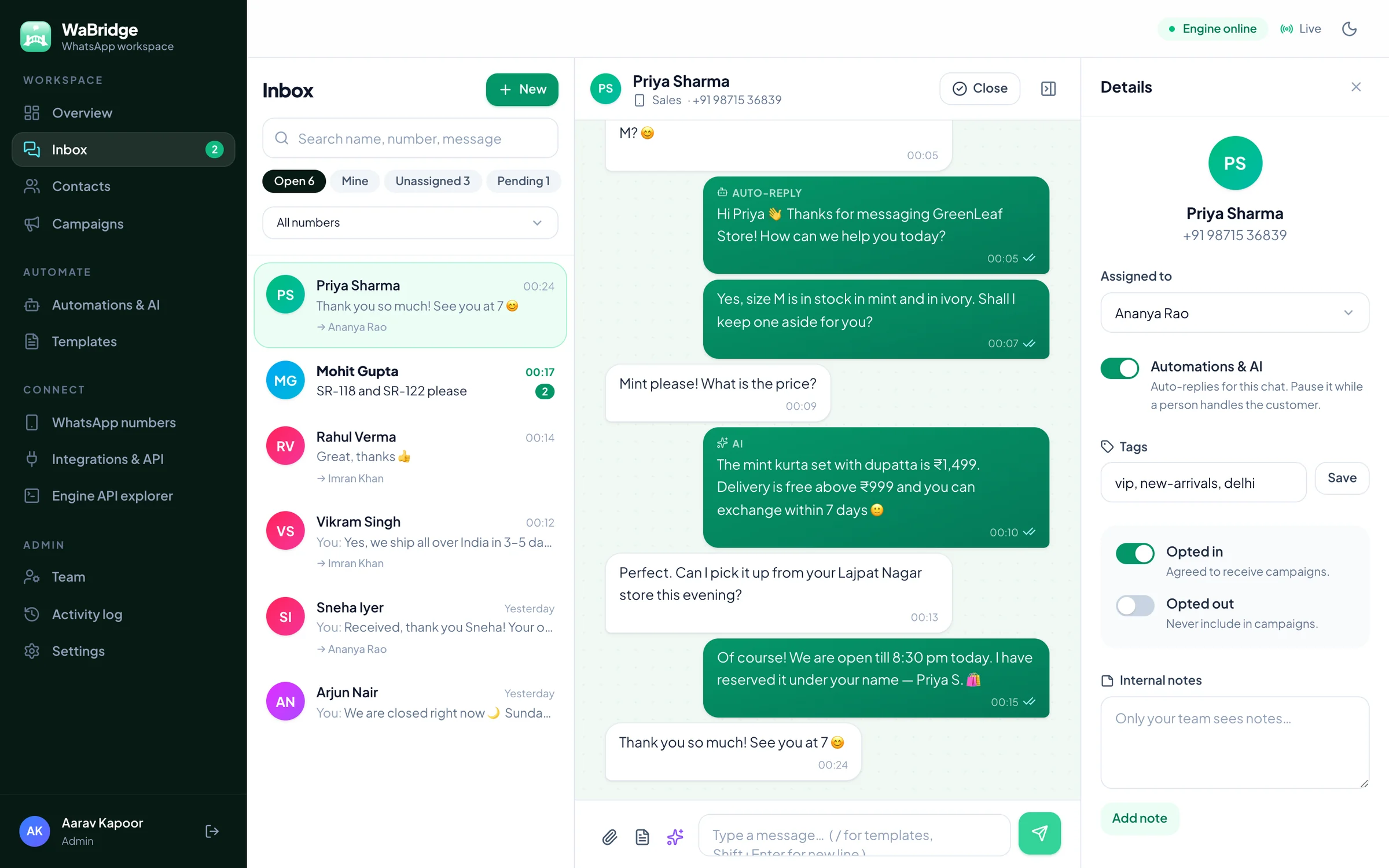
  • Assign and filter. Open, pending and closed views, plus “Mine” and “Unassigned”.
  • Templates on a slash. Type /address or /pay to drop a saved reply.
  • Delivery ticks. See sent, delivered and read for every message.
  • Notes and tags. Private notes for teammates and tags that feed your campaigns.
  • Photos, PDFs and voice notes in both directions, plus an AI-drafted reply button.
Shared inbox with conversation list, chat thread and customer details panel
On the go

Works on your phone's browser too

Reply from the shop floor or a site visit. The dashboard adapts to small screens, so the team can keep working away from the desk.
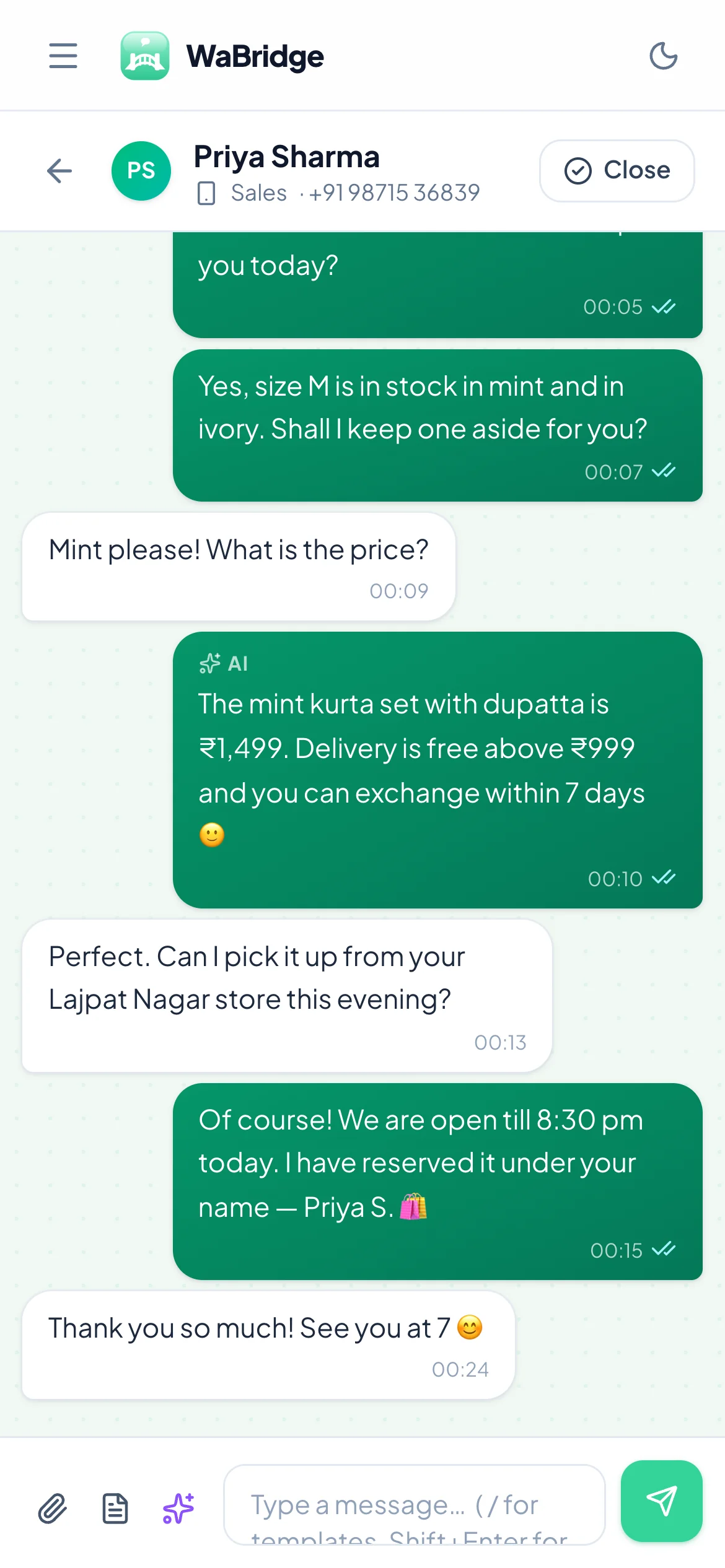
  • Full inbox, contacts and campaign status on mobile
  • Light and dark themes
  • Live updates without pulling to refresh
WaBridge chat thread on a mobile screen
02 · Contacts & consent

A customer list that remembers who said yes

Everyone who messages you is saved automatically. Bring the rest in from a spreadsheet in a minute.
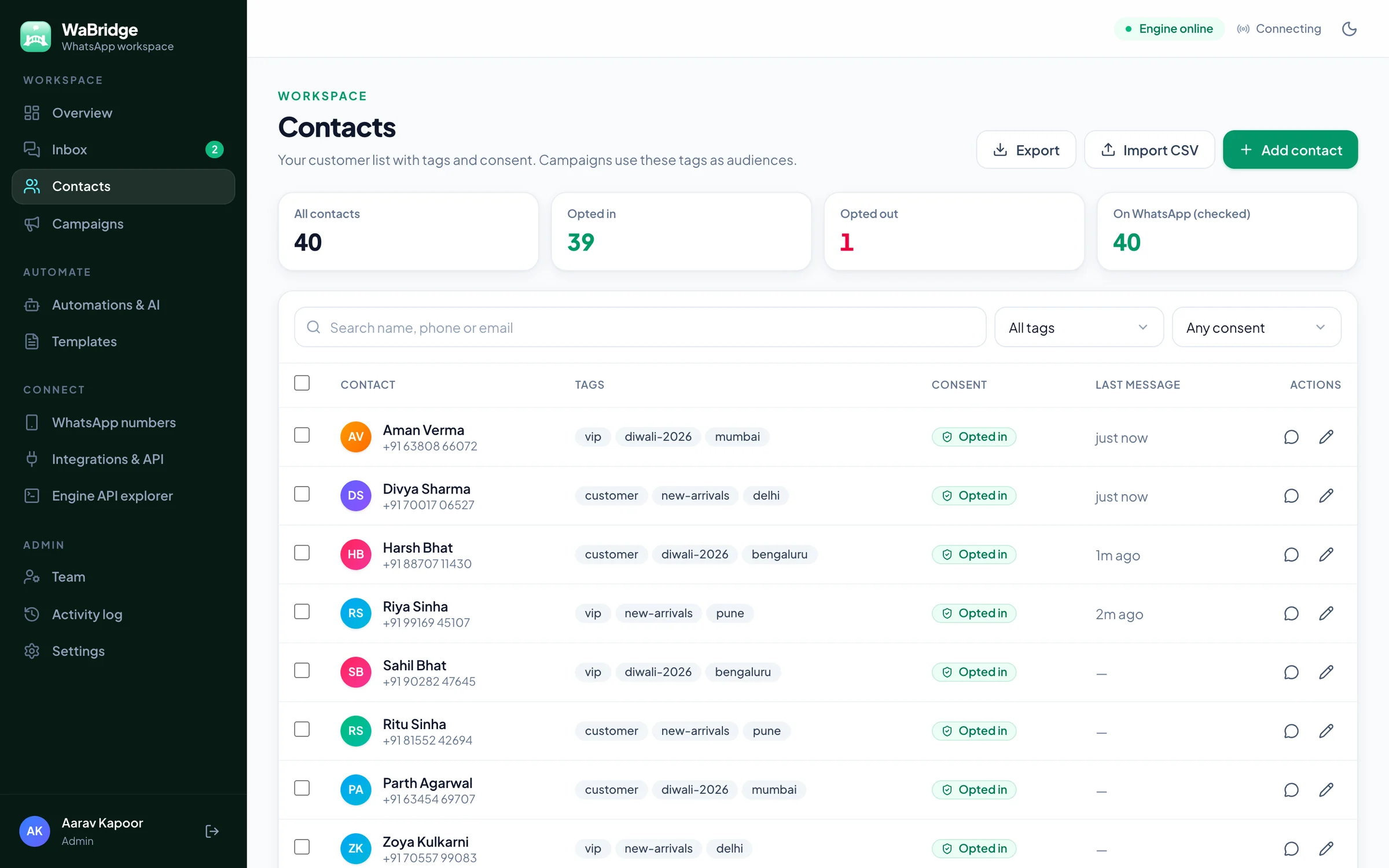
  • CSV import with column mapping — extra columns like city or order ID become variables such as {{city}}.
  • Consent tracking. Opted in, no consent yet, or opted out — at a glance.
  • STOP and START handled for you, including custom words like “BAND KARO”.
  • Bulk tagging, “is this number on WhatsApp?” checks and one-click CSV export.
Contacts table with tags and consent status
03 · Campaigns

Broadcasts that read like personal messages

A five-step wizard — sender, audience, message, safety, launch — with a live preview of exactly what each person will see.
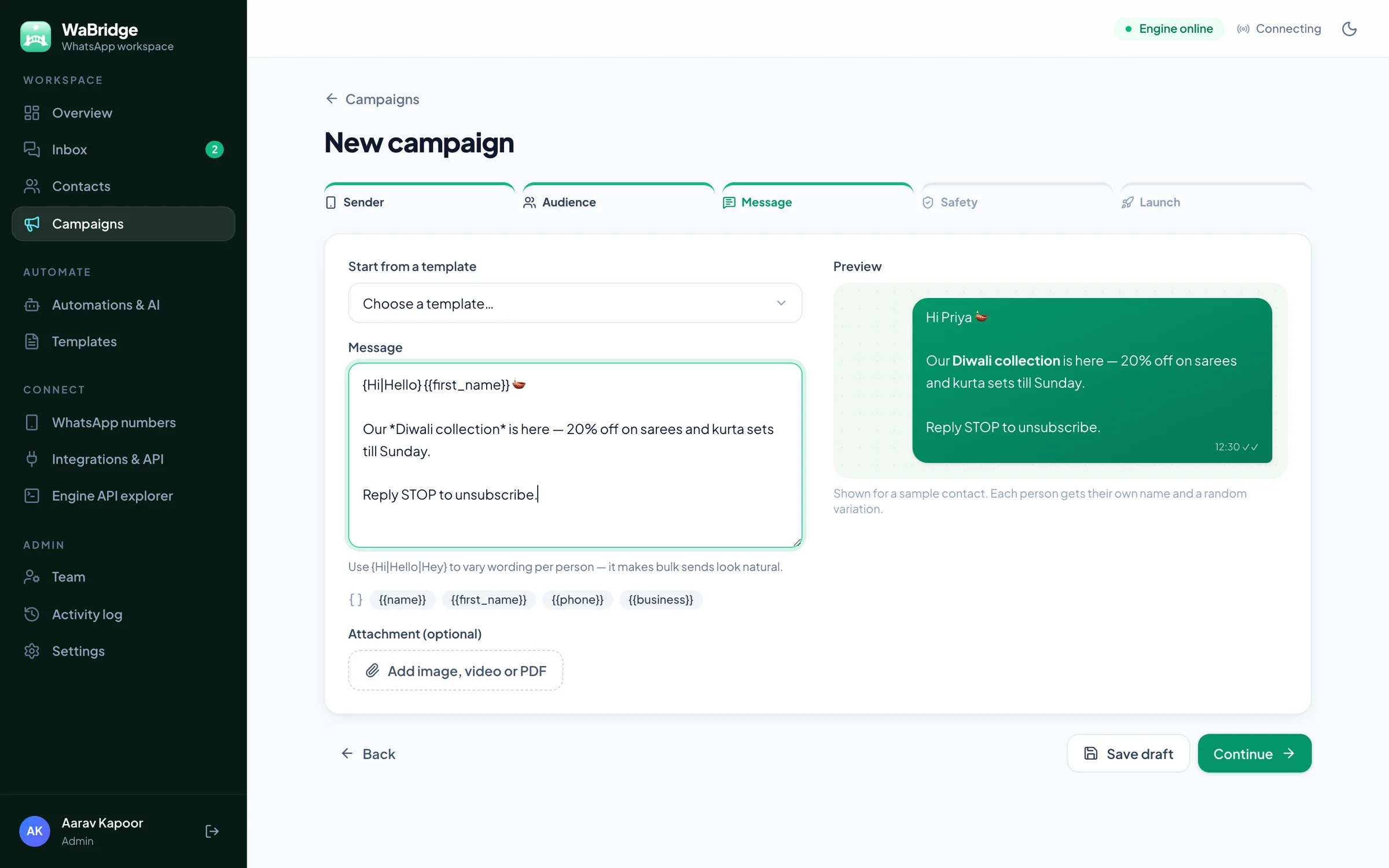
  • Personalised. {{first_name}} and any contact field, plus {Hi|Hello|Namaste} variations so no two messages are identical.
  • Photos, videos and PDFs with captions.
  • Paced sending with random gaps, daily caps, quiet hours and auto-pause after repeated failures.
  • Test first, schedule later. Send yourself a preview, then start now or at a set time.
  • Results that matter. Sent, failed, skipped and reply rate — with a one-click retry for failures.
Campaign editor with message variables and a live WhatsApp-style preview
04 · Automations

Instant replies, around the clock

Rules run in a clear order for every incoming message, so you always know why a reply was sent.
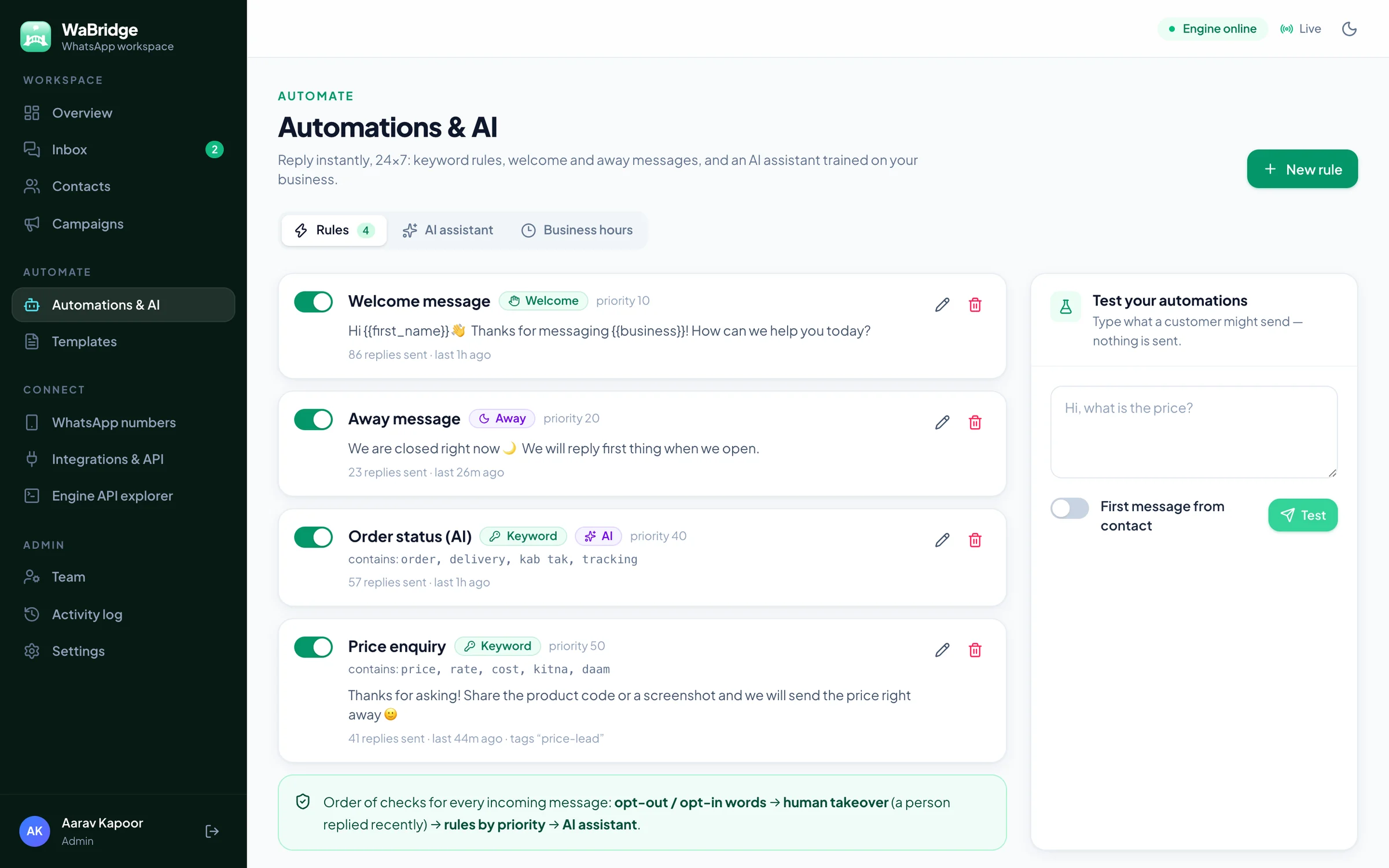
  • Welcome for first-time contacts, away outside business hours, keyword and catch-all rules.
  • Contains, exact, starts-with or regex matching — Hinglish keywords welcome.
  • Cooldowns and priorities so the same customer is never spammed with repeats.
  • Auto-tagging — label everyone who asks about price as a lead.
  • A safe simulator to test any message without sending anything.
  • Human takeover: bots go quiet once a teammate replies.
Automation rules list with welcome, away, keyword and AI rules and a test panel
05 · AI assistant

An assistant that answers from your own facts

Add your prices, timings, delivery areas and policies in plain text. The assistant replies only from what you wrote — and says a teammate will follow up when it does not know.

  • Replies in English, Hindi or Hinglish — matching the customer
  • Hand-off words such as “agent” or “call me” pause the bot and flag the chat
  • Per-chat hourly limits, never active in group chats
  • Draft-only mode in the inbox: generate a reply, edit it, then send
  • Uses your own Anthropic API key — no markup, no lock-in

Example conversation

06 · Numbers

Link several numbers, see their health

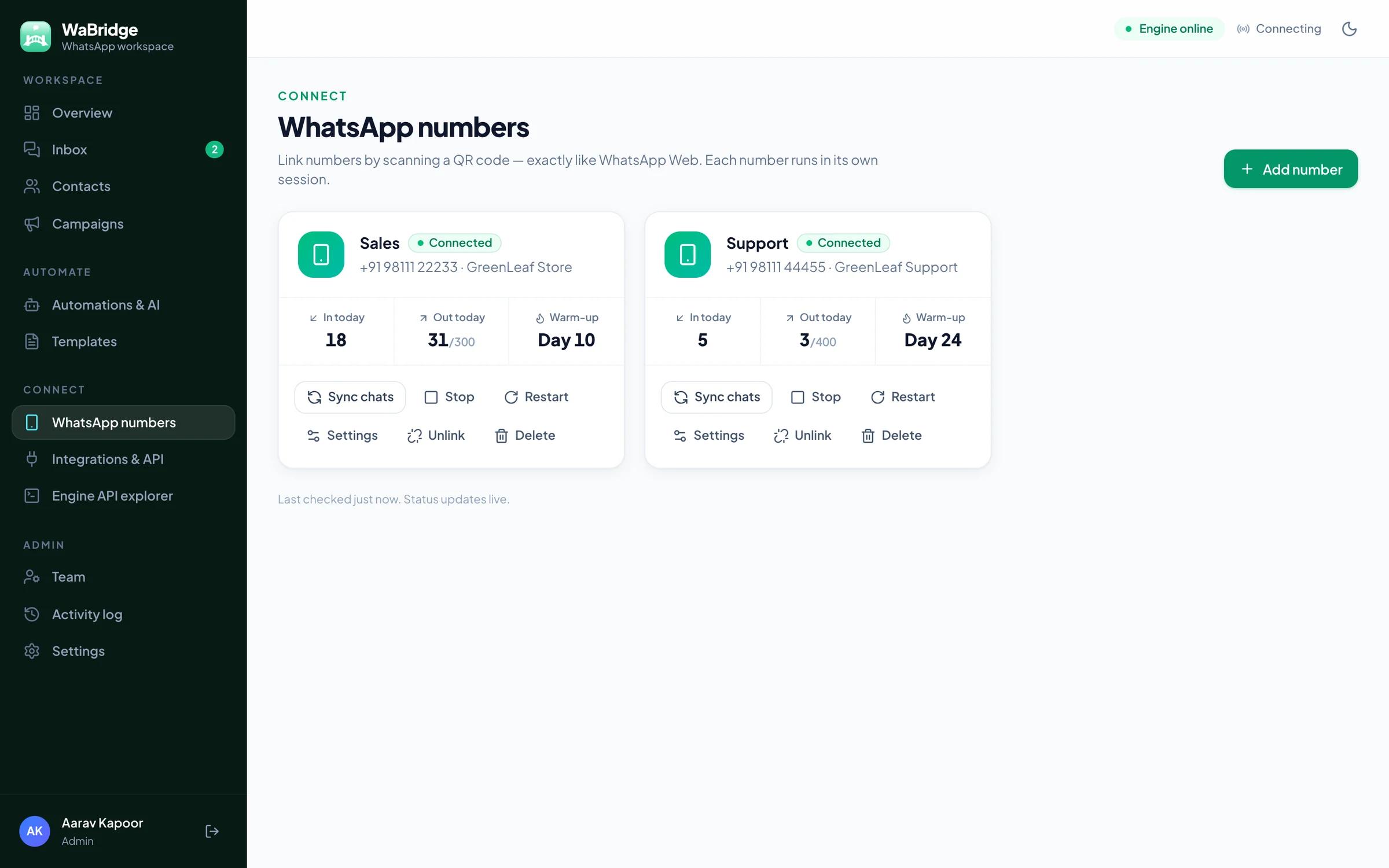
Sales, support and each store location can run on their own number, all inside one workspace.
  • QR or 8-character pairing code to link — just like WhatsApp Web.
  • Warm-up day and daily limit visible on every number.
  • Per-number proxy support and automatic reconnect after restarts.
  • Disconnect alerts in the activity log and through webhooks.
Two connected WhatsApp numbers with today's message counts and warm-up day
07 · API & webhooks

Plug WhatsApp into the tools you already use

Send OTPs, order confirmations and invoices from your website, billing software or n8n — and receive every incoming message as a signed webhook.

  • Simple REST API with per-app keys you can revoke
  • HMAC-signed outgoing webhooks for messages, opt-outs and campaign results
  • Full access to the underlying engine: groups, channels, labels, status and more
  • Automatic fallback to the official channel when no linked number is online
curl -X POST https://your-server/api/v1/messages \
  -H "X-WaBridge-Key: wb_live_••••••" \
  -H "Content-Type: application/json" \
  -d '{
    "to": "919876543210",
    "text": "Your order #4521 has shipped 🚚"
  }'

# → 201 { "id": 812, "status": "sent" }
08 · Security & privacy

Your conversations stay on your machine

WaBridge is software you run yourself. There is no WaBridge cloud that sees your chats.

Signed everything

Engine events, outgoing webhooks and Meta callbacks are verified with HMAC signatures; forged requests are rejected.

Roles & sessions

Admin and agent roles, scrypt-hashed passwords and HTTP-only session cookies. API keys are stored hashed.

Private by default

The dashboard listens only on your own computer unless you choose to expose it, ideally behind HTTPS.

09 · Optional official channel

Meta Cloud API, side by side

Already have a Meta Business account? Add your Phone Number ID, WABA ID and a permanent token to run approved-template campaigns at scale and receive messages through Meta's webhook — in the same inbox as your QR-linked numbers.

See it on your own laptop

Install it, link a test number and try every feature in an afternoon.